TideRoll: Block Puzzle
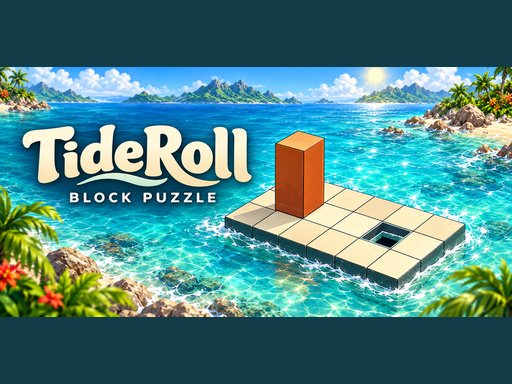
Roll a wooden block across floating ocean platforms and guide it upright into the goal hole. Solve 150 levels with sunny, rainy and snowy scenery, switches, bridges and fragile orange tiles. Plan each move, undo mistakes and unlock the next puzzle. Web Dev https://www.crazygames.org.es/
How to play TideRoll: Block Puzzle
Select Play now above to load the game from its publisher. Wait for any loading screen or opening instructions, then start from the game’s own menu. The game runs inside this page; fullscreen is available from the control bar where supported by your browser.
Controls
Use WASD or Arrow keys to roll the block. On mobile, tap the on-screen direction buttons. Reach the goal standing upright. Cross orange tiles while lying flat; they break under an upright block.
These controls are supplied by the publisher. If the game displays a tutorial, settings menu or updated controls in its own interface, follow those instructions for the current version.
Tips for getting started
Take a moment to inspect the whole board before committing to a move. Check the objective and any move or time limits displayed inside the game. When a move changes several pieces, pause to see what opened up before selecting again.
Desktop and mobile play
The publisher lists this game as mobile-ready. You can try its touch controls on a phone or tablet, while desktop players can use the keyboard or mouse instructions above. Landscape orientation can give you more room for the game.
Developer and game information
TideRoll: Block Puzzle is developed or published by BestCrazyGames and is distributed through GameMonetize. The game, its branding and any advertising remain with the provider. MyCrazyGames supplies the page, navigation and related game recommendations.
Favorites and progress
Use the bookmark button to save this game to your MyCrazyGames favorites on this browser. Recently played games are also remembered locally. Progress inside the embedded game is managed by its provider and can differ between games; a favorite is a shortcut, not a cloud save.
Frequently asked questions
Can I play TideRoll: Block Puzzle in the browser?
Yes. This listing uses the publisher’s supplied browser embed. Your device needs an internet connection to load the game and its assets. Some titles may show provider advertisements before or during play.
What if the game is still loading?
Give larger games time to download their assets. If the screen remains blank, use the reload button beneath the player, check your connection, and try a current browser. Some games need WebGL or more device memory than a basic puzzle game.
More puzzle games
Mahjong Gold, Jolly Jumble, Sweetsu Tile Puzzle. Browse all games or visit the gaming blog for more guides.