Diner in the Storm
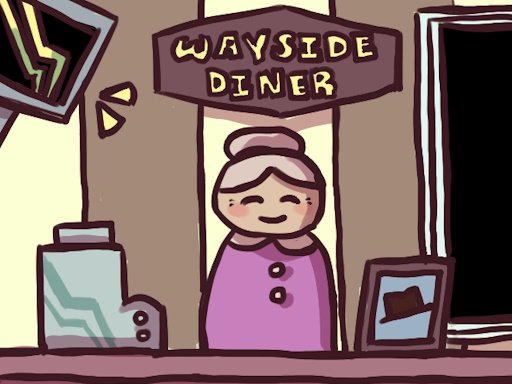
Diner in the Storm is a thrilling escape game where you take shelter in a diner from a sudden storm. You are safe for now, but its not long before you realize theres something dangerous outside the thin diner walls. Leaving is easy, but convincing everyone else to come with you might not be.
How to play Diner in the Storm
Select Play now above to load the game from its publisher. Wait for any loading screen or opening instructions, then start from the game’s own menu. The game runs inside this page; fullscreen is available from the control bar where supported by your browser.
Controls
Left mouse button to interact. (Optional) AD, left/right arrow keys to move left and right. Space to continue dialog.
These controls are supplied by the publisher. If the game displays a tutorial, settings menu or updated controls in its own interface, follow those instructions for the current version.
Tips for getting started
Look at the route ahead and learn the movement controls in a safe part of the opening stage. Check how jumping, interaction and camera movement work before attempting a narrow platform or unfamiliar obstacle.
Desktop and mobile play
The publisher lists this as a desktop browser game. Use a computer with the keyboard and mouse controls shown above. Touch support is not confirmed for this listing.
Developer and game information
Diner in the Storm is developed or published by adayofjoy and is distributed through GameMonetize. The game, its branding and any advertising remain with the provider. MyCrazyGames supplies the page, navigation and related game recommendations.
Favorites and progress
Use the bookmark button to save this game to your MyCrazyGames favorites on this browser. Recently played games are also remembered locally. Progress inside the embedded game is managed by its provider and can differ between games; a favorite is a shortcut, not a cloud save.
Frequently asked questions
Can I play Diner in the Storm in the browser?
Yes. This listing uses the publisher’s supplied browser embed. Your device needs an internet connection to load the game and its assets. Some titles may show provider advertisements before or during play.
What if the game is still loading?
Give larger games time to download their assets. If the screen remains blank, use the reload button beneath the player, check your connection, and try a current browser. Some games need WebGL or more device memory than a basic puzzle game.
More adventure games
Brainrot Mega Parkour, Obby Swim for Egg, Slime Jump: Crown Quest. Browse all games or visit the gaming blog for more guides.